Subtraction Color by Number Worksheets
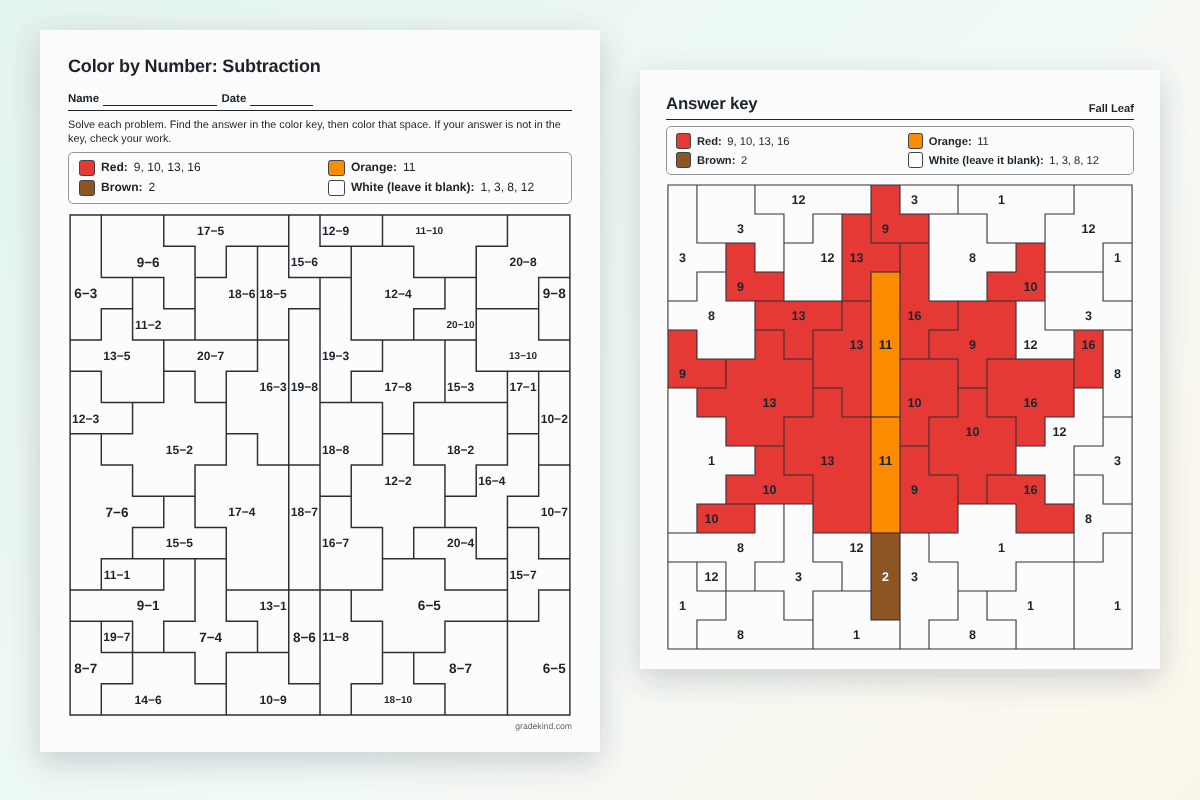
Practice subtraction facts and 2-digit subtraction with a hidden picture. Pick the level and a picture, then print it with the answer key or share it for coloring online.
- Within 10 and 20
- 2-digit with regrouping
- Answer key included
Make your sheet
Each version puts the problems in different spaces, so kids sitting together can't copy.
More options
Preview
The worksheet is loading. If nothing shows up, turn on JavaScript.
How to make a subtraction color by number
- Pick the level. Within 10, within 20, 2-digit minus 1-digit, or 2-digit subtraction with or without regrouping.
- Pick a picture. There are 31 pictures. Kids don't see which one until they color it.
- Print or share. Print the worksheet and the answer key, or share a link so kids can color on screen.
Which level fits your class?
| Level | Example | Usually used in |
|---|---|---|
| Within 10 | 9 − 4 = 5 | Kindergarten and 1st grade |
| Within 20 | 15 − 6 = 9 | 1st and 2nd grade |
| 2-digit − 1-digit | 47 − 5 = 42 | 1st and 2nd grade |
| 2-digit, no regrouping | 58 − 23 = 35 | 2nd grade |
| 2-digit with regrouping | 72 − 29 = 43 | 2nd and 3rd grade |
The Common Core standards ask 1st graders to subtract within 20 and be fluent within 10 (1.OA.C.6), and 2nd graders to subtract within 20 using mental strategies (2.OA.B.2) and within 100 fluently (2.NBT.B.5).
Tips for teaching with it
- Think addition. For 15 − 6, ask "6 plus what makes 15?" Kids who know their addition facts get subtraction faster this way.
- Regrouping check. The "with regrouping" level only has problems where the ones digit on top is smaller, like 72 − 29. It's a quick way to see who still subtracts the smaller digit from the bigger one.
- Self-checking. If an answer isn't in the color key, the child knows to try again before coloring.
- Class sets. Print up to 30 versions so kids sitting together get different problems in each space.
Frequently asked questions
What is a subtraction color by number?
It's a coloring page split into spaces, each with a subtraction problem. Kids solve the problem, find the answer in the color key and color the space to uncover a hidden picture.
Which grades is it for?
Kindergarten to 3rd grade. Within 10 fits kindergarten and 1st grade, within 20 fits 1st and 2nd grade, and 2-digit subtraction with regrouping fits 2nd and 3rd grade.
Are there negative answers?
No. The bigger number always comes first, so every answer is 0 or more.
Will I get an answer key too?
Yes. The key shows the colored picture with each answer in its space. You can turn the keys off if you don't need them.
Can students do it online?
Yes. Share the student link or post it to Google Classroom. Kids tap a color, tap a space and check their picture at the end.
More color by number sheets
- Addition Color by Number: sums within 10 and 20, then 2-digit addition.
- Multiplication Color by Number: quick picks for every times table.
- Division Color by Number: basic division facts, then long division that comes out even.
- Math Color by Number Generator: every skill on one page, including mixed practice.